
Audit Log
The Audit Log provides a chronological record of board membership activity. Every time a member is added, removed, or has their role changed, an entry is recorded. This helps administrators understand who made changes and when.
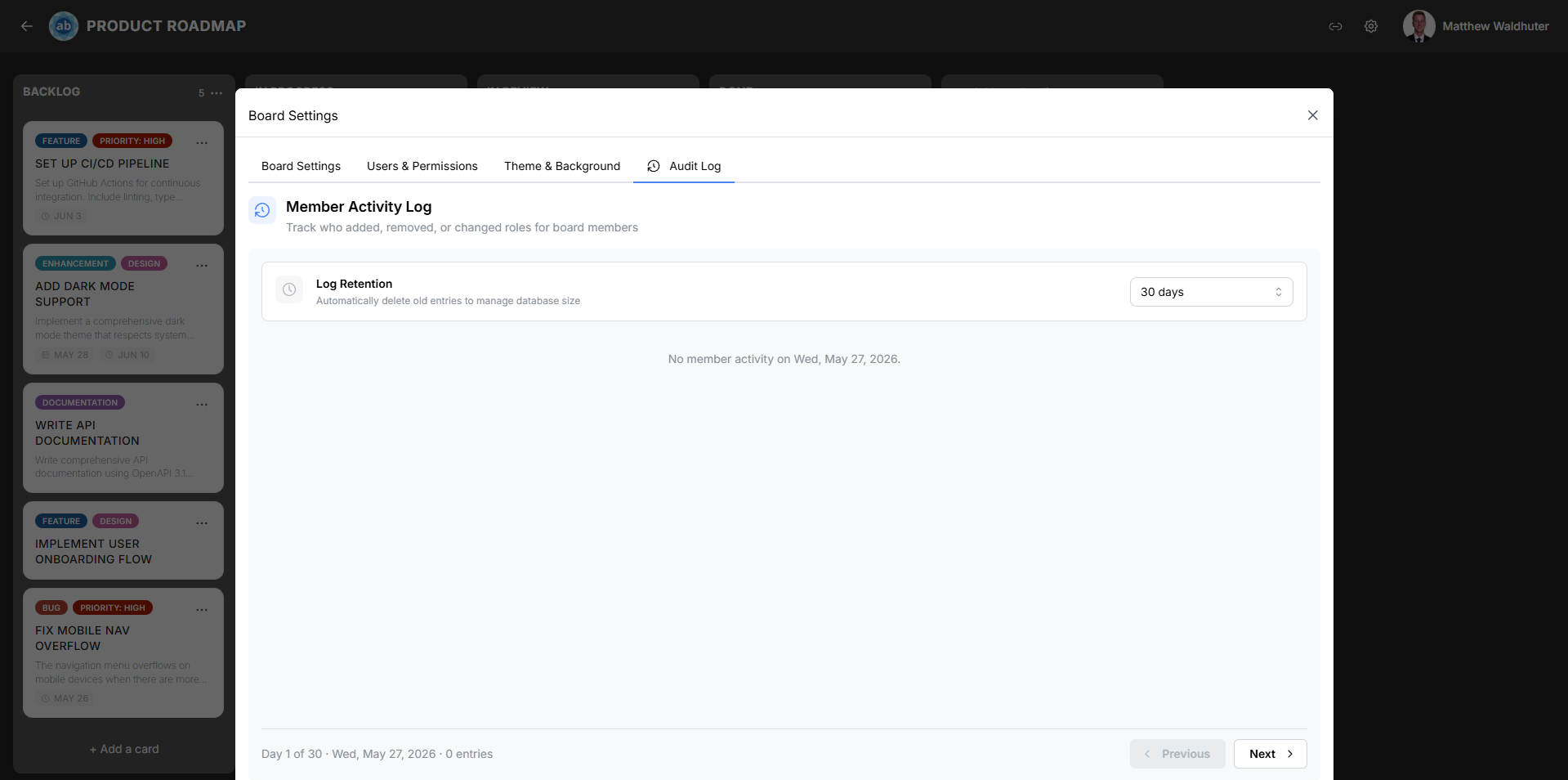
Accessing the Audit Log
- Open a board and click the gear icon in the board navbar.
- Select the Audit Log tab.
Tracked Event Types
The audit log records three categories of membership events:
| Event | Description |
|---|---|
board.member.add |
A member was added to the board — either directly by an admin or via an invite link. |
board.member.remove |
A member was removed from the board. |
board.member.role.update |
A member’s role was changed (e.g. promoted from Observer to Member). |
The log distinguishes between invite-based joins (user accepted an invite link), placeholder claims (user registered or signed in and was automatically added because they matched an import placeholder on the board), and direct admin adds (an administrator manually added the user), giving you full context on how each member gained access.
Entry Fields
Each audit log entry displays:
| Field | Description |
|---|---|
| Actor | The name of the user who performed the action. |
| Target user | The member affected by the action. |
| Action | The event type (add, remove, or role update). |
| Role badge(s) | The role involved — for role updates, both the previous and new role are shown. |
| Timestamp | The exact date and time the event occurred. |
Day Pagination
Audit log entries are organised and paginated by day:
- The current view shows all events from a single day.
- Use the forward and backward navigation arrows to move between days.
- The currently displayed date is shown in the header.
- Days with no events are skipped — navigation jumps to the next/previous day that has recorded activity.
Retention Settings
You can configure how long audit log entries are retained before they are automatically purged:
| Option | Duration |
|---|---|
| Never | Entries are kept indefinitely. |
| 10 days | Entries older than 10 days are removed. |
| 30 days | Entries older than 30 days are removed. |
| 90 days | Entries older than 90 days are removed. |
| 1 year | Entries older than 1 year are removed. |
Select the retention period that balances your compliance needs with storage considerations. Shorter retention periods keep the log focused on recent activity, while “Never” ensures a complete historical record.
Performance
The audit log uses virtualised rendering (powered by react-virtuoso) to handle boards with extensive activity histories. This means:
- Only the visible entries are rendered in the DOM at any given time.
- Scrolling through hundreds or thousands of entries remains smooth.
- Memory usage stays constant regardless of the total entry count.
Use Cases
- Security review — Identify when and by whom a member was granted elevated permissions.
- Onboarding audit — Verify that new team members received the correct role.
- Troubleshooting access — Determine when a user was removed and by whom.
- Compliance — Maintain a record of access changes for regulatory requirements.
Related Pages
- Users & Permissions — Manage board members and role assignments.
- Invites & Sharing — Generate invite links that trigger
board.member.addevents. - Permissions & Roles — Configure the global role hierarchy and permission system.