
What is Atlantisboard?
Atlantisboard is a self-hosted, real-time collaborative Kanban board application. It gives teams a powerful, privacy-first project management tool that runs entirely on your own infrastructure — no third-party cloud accounts required.
With features like drag-and-drop boards, rich card detail views, role-based permissions, live collaboration, custom themes, and full import/export support, Atlantisboard is designed to be a complete replacement for hosted Kanban services while keeping your data under your control.
Core Vocabulary
Before diving in, here are the key concepts you will encounter throughout Atlantisboard:
| Term | Definition |
|---|---|
| Workspace | An organisational container that groups related boards together. Think of it as a folder for your projects. |
| Board | A Kanban board consisting of vertical lists (columns) and cards. Each board belongs to a workspace. |
| List | A vertical column on a board that represents a workflow stage (e.g. “To Do”, “In Progress”, “Done”). |
| Card | An individual task or work item within a list. Cards can have descriptions, labels, assignees, checklists, attachments, comments, and dates. |
| Label | A colour-coded tag applied to cards for categorisation. Labels are scoped per board. |
| Member | A user who has been added to a board with a specific role. |
| Role | A named permission set (e.g. Admin, Manager, Viewer) that controls what a member can do on a board. |
| App Admin | A global administrator who can access the Admin Configuration panel and manage all users and system settings. |
| Theme | A colour palette applied to a board’s visual appearance. Atlantisboard ships with 8 built-in themes and supports custom themes. |
Technology at a Glance
For those who are curious about what powers Atlantisboard under the hood:
| Layer | Technology |
|---|---|
| Runtime | Bun — a fast JavaScript runtime and package manager |
| Backend | Express 5, TypeScript, Passport.js (authentication), Socket.io (real-time) |
| Frontend | React 19, TypeScript, Tailwind CSS, Mantine UI, Tiptap (rich text) |
| Database | MongoDB 8.x with replica set (required for Change Streams) |
| Cache & Sessions | Redis 7.x |
| Object Storage | MinIO (S3-compatible) for attachments, avatars, branding assets, fonts, and backups |
| Real-Time | MongoDB Change Streams detect data changes; Socket.io pushes updates to connected browsers |
What Does It Look Like?
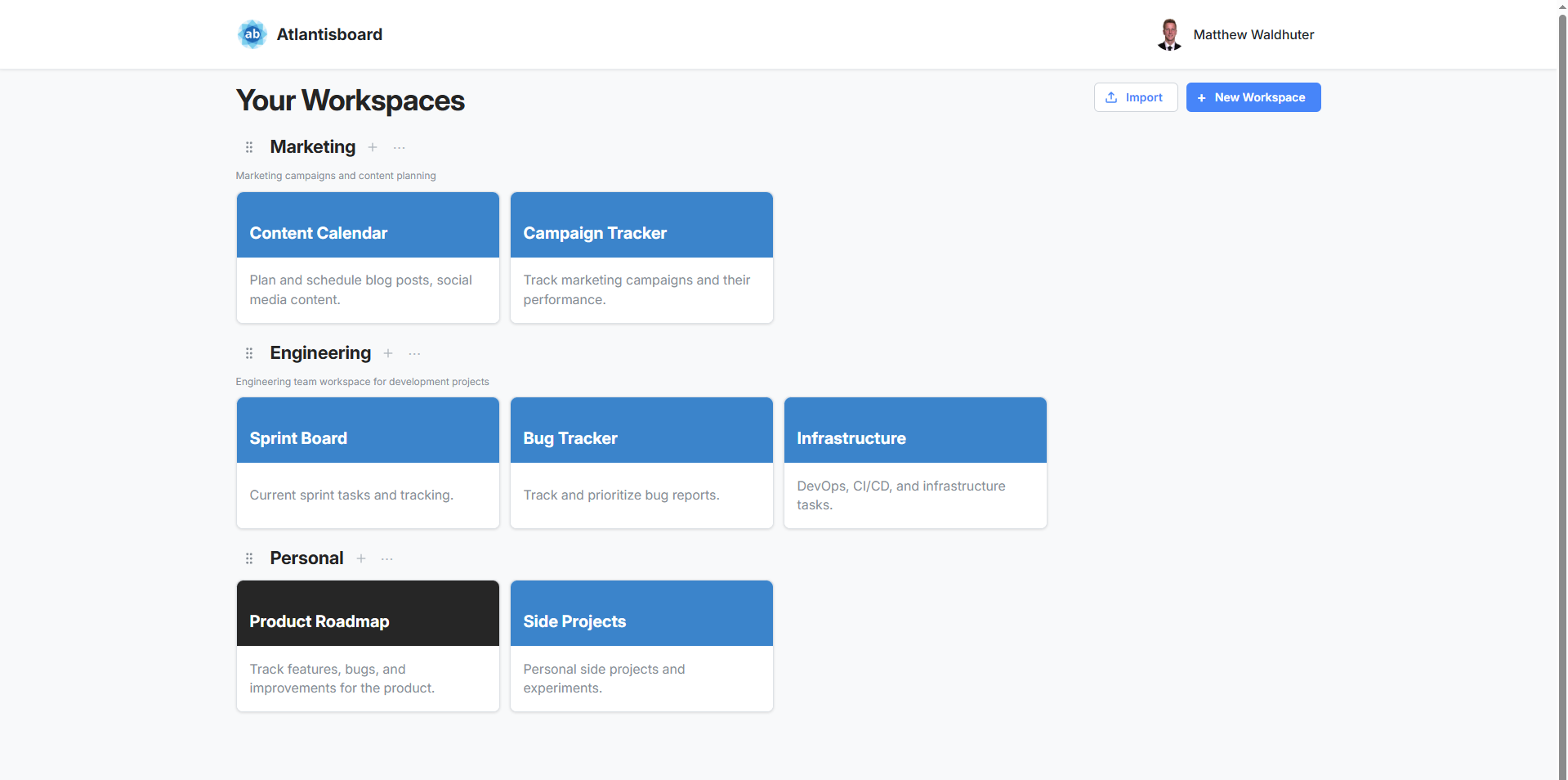
When you first log in, you land on the Home Page — a dashboard showing all your workspaces and boards. Each workspace is a row, and each board appears as a tile card you can click to open.
Inside a board, you see your lists arranged as horizontal columns. Cards stack vertically within each list. You can drag cards between lists, reorder them, click to open the full card detail view, and collaborate with your team in real time.
Everything updates live — when a teammate adds a comment, moves a card, or creates a new label, you see the change instantly without refreshing the page.
Next Steps
- Ready to install? Start with the System Requirements, then follow the Docker Compose Installation guide.
- Already running? Head to Creating the First Admin Account to set up your initial user.